Have you ever lost your Internet connection? My Internet connection goes down several times a day and it feels too boring without any Internet for several minutes. But thanks to Chrome for making users enjoy even after the Inter is gone. In one of my previous post we seen tweak to work offline in Chrome, that trick allows to browse previously loaded pages after losing the Internet connection. But, you don't want to get bored by reading old posts and webpages. If so, you should try new endless running T-Rex game on Chrome.

After losing my Internet Connection, this game really helps me to pass the time and I don't close the Chrome now. You'll not have access to it without losing your Internet. If your Internet never goes down than turn off the router or Network.
Playing T-Rex Runner Game in Chrome
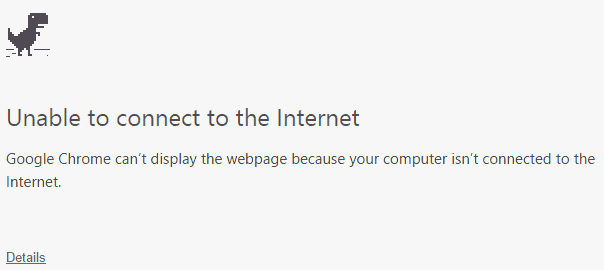
Turn off your Wi-Fi or disable any Network you're using. Then open a new tab page and load any website. You'll see a customized error page like the one shown below in the screenshot.
Don't close the Chrome and troubleshoot the Internet for now. Instead press Space bar and the game will be started automatically.
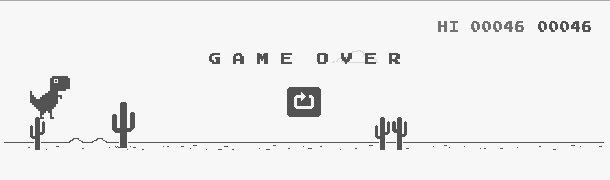
The goal of the game is same as any runner game. You'll have to keep running until you crash. Keep jumping over the cactus otherwise you'll lose the game. Use Space Bar to jump. You can also use top arrow key to jump or press right arrow key along with top arrow key to long jump if the cactus plant is too tall.
Chrome also keeps track of the scores. See your high score and defeat it next time your Internet goes down.
If you use Canary or developer version of Chrome than try clicking on the logo on About page, you'll see the logo spinning.
That's it! This new Google Chrome Easter Egg is a fun way to pass the idle time until your Internet connection is restored.
After losing my Internet Connection, this game really helps me to pass the time and I don't close the Chrome now. You'll not have access to it without losing your Internet. If your Internet never goes down than turn off the router or Network.
Playing T-Rex Runner Game in Chrome
Turn off your Wi-Fi or disable any Network you're using. Then open a new tab page and load any website. You'll see a customized error page like the one shown below in the screenshot.
Don't close the Chrome and troubleshoot the Internet for now. Instead press Space bar and the game will be started automatically.
The goal of the game is same as any runner game. You'll have to keep running until you crash. Keep jumping over the cactus otherwise you'll lose the game. Use Space Bar to jump. You can also use top arrow key to jump or press right arrow key along with top arrow key to long jump if the cactus plant is too tall.
Chrome also keeps track of the scores. See your high score and defeat it next time your Internet goes down.
If you use Canary or developer version of Chrome than try clicking on the logo on About page, you'll see the logo spinning.
That's it! This new Google Chrome Easter Egg is a fun way to pass the idle time until your Internet connection is restored.
Hello, this was very helpful, because i didn't know how to jump. THX!!
ReplyDeleteI game this all day, because i take a break from Minecraft!!! This is almost better than GTA!!!! #Minecraft #VRAM
There is an android app as well-
ReplyDeleteYou can also play T-rex game on Chrome for Android. Just go to Airplane/offline mode and open Chrome browser.
ReplyDelete