Subway Surfers is one of the most popular endless running android game. It hasn't gained this popularity like that only, it is exciting, addicting game allowing you to explore different parts of the world. You won't get bored. The developers brings new update every month, allowing you to explore new places each month.
You'll not need to use modded game! There are many cheats available on the Internet, most of them provides you modded versions of the game, which you can't update from Play Store. We will neither crack the game or use any hack. You'll just need to move the game data in the folder where Subway Surfers saves the Game data. Since you'll be using the original version, you'll be able to update the game and flaunt your score with your friends on Facebook.
Excited? Follow the following steps.
Note: You'll lose all the current progress. Sign in with Facebook account if you want to save your high score.
Love endless games? Try Endless Running T-rex Game on Chrome. It'll work when you aren't connected to Internet.
That's all for today. Comment below if you still face problem cheating your Subway Surfers.
You'll not need to use modded game! There are many cheats available on the Internet, most of them provides you modded versions of the game, which you can't update from Play Store. We will neither crack the game or use any hack. You'll just need to move the game data in the folder where Subway Surfers saves the Game data. Since you'll be using the original version, you'll be able to update the game and flaunt your score with your friends on Facebook.
Excited? Follow the following steps.
Note: You'll lose all the current progress. Sign in with Facebook account if you want to save your high score.
- Uninstall the Subway Surfers (if you're using the game above version 1.41.0), otherwise it'll not work.
- Now download and install Subway Surfers version 1.41.0 (Find it on APK Mirror or Google). If you can't find this version of game anywhere then download it from this link.
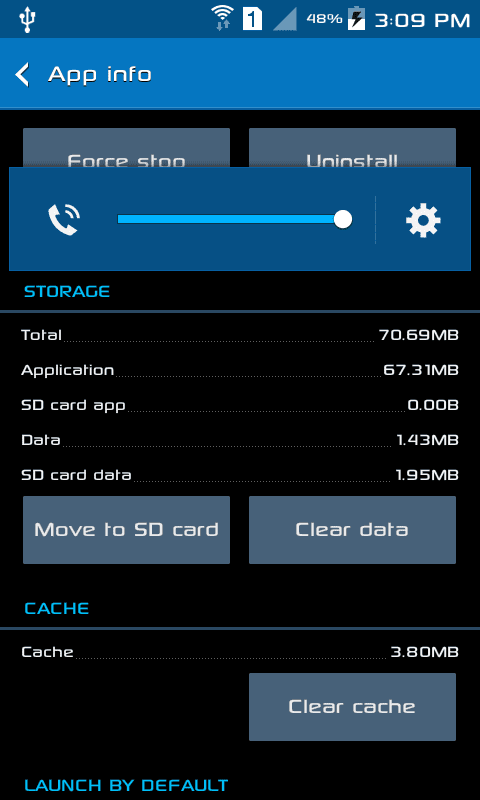
- After installing the required version of Subway Surf, navigate to Settings > Application Manager > Subway Surf and clear the cache & data.
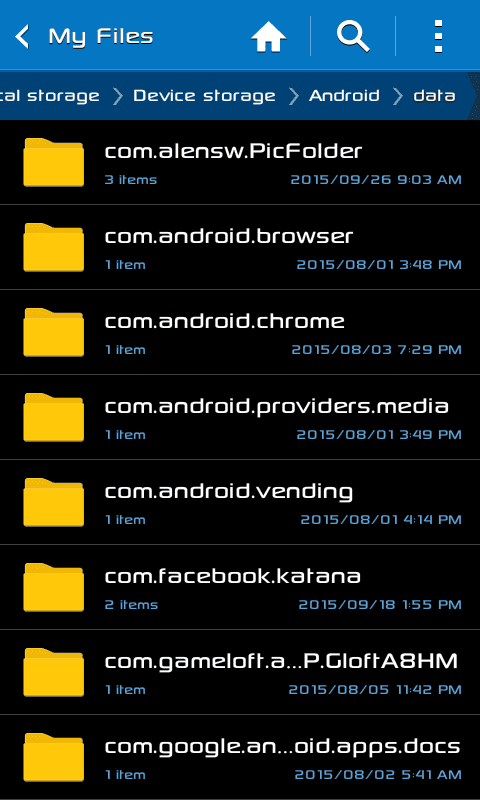
- Now download the Game Data (ZIP) from this link and extract the "com.kiloo.subwaysurf" folder to Device Storage > Android > Data.
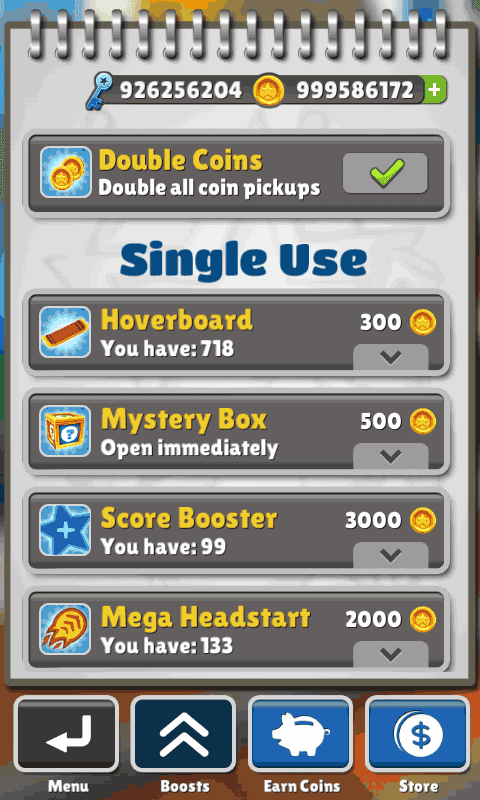
- That's it! Now open the game, large numbers of keys and coins will be there for you to use.
- You can now upgrade to the latest version of Subway Surfers from the Play Store and sign in with your Facebook account, if you want to compete with your friends.
Try this trick and show your highest score to your friends. Anyway, it is more fun to complete the game without any cheat. With this cheat, you'll lose all the fun and excitement, it offers.
Love endless games? Try Endless Running T-rex Game on Chrome. It'll work when you aren't connected to Internet.
That's all for today. Comment below if you still face problem cheating your Subway Surfers.
Comments
Post a Comment